
AI productivity tools are the fastest way to save real time at work in 2026, and you do not need to spend a single dollar to start. But after using these tools every day, I’ve realized they aren’t just software; they are like a team of experts you can talk to.
If you are looking to boost your productivity with AI tools in 2025 and 2026, you don’t need 100 different apps. You need a few who actually understand you.
Here is my personal take on the top AI productivity tools that actually make a difference in how we work and learn.
Key Takeaways
- AI productivity tools can save knowledge workers an average of 3.6 to 5.4 hours every single week.
- The best tools are not the most expensive ones; several of the most useful ones are free.
- Picking the right tool depends on your specific bottleneck: writing, meetings, research, scheduling, or automation.
- You do not need 10 tools. Start with one. Master it. Then add more only if you hit a new wall.
What Are AI Productivity Tools?
AI productivity tools are software applications that use artificial intelligence to help you complete tasks faster, with less effort, and with fewer errors. They do not replace your thinking. They handle the parts of your work that eat up time without requiring your full attention, drafting emails, taking meeting notes, organizing tasks, searching for information, and connecting apps together.
These tools are no longer experimental. According to Microsoft’s Work Trend Index, 75% of global knowledge workers now use generative AI, with adoption nearly doubling in just six months. The shift has happened. The only question left is which tools are actually worth your time.
Which AI Tools Are Best for Productivity in 2026?
The best AI tools for work productivity in 2026 are the ones that solve a real problem in your daily workflow, not the ones with the longest feature list or the most impressive demo. They save measurable time, they fit into what you already do, and they do not require a week of setup before you see results.
Below are the 10 best AI productivity tools right now, each reviewed honestly with pricing included.
Quick Comparison: Best AI Productivity Tools at a Glance.
Not sure which tool is right for you? This table breaks it down in seconds.
| Tool | Best For | Free Plan | Starting Price |
| ChatGPT | Everything | ✅ Yes | $20/month |
| Perplexity | Research | ✅ Yes | $20/month |
| Claude | Documents | ✅ Yes | $20/month |
| Notion AI | Teams | ✅ Yes | $10/month |
| Zapier | Automation | ✅ Yes | $19.99/month |
| Grammarly | Writing | ✅ Yes | $12/month |
| Reclaim | Scheduling | ✅ Yes | $8/month |
| Fireflies | Meetings | ✅ Yes | $10/month |
| Motion | Task Mgmt | ❌ No | $19/month |
| Jasper | Marketing | ❌ No | $49/month |
10 Best AI Productivity Tools in 2026
1. ChatGPT — Best All-Around AI Assistant
Pricing: Free | Plus at $20/month
ChatGPT is the most widely used AI tool on the planet, and for good reason. You can use it to draft emails, summarize long documents, write code, answer research questions, build outlines, and brainstorm ideas, all from one place. The free version gives you access to GPT-4o, which is more capable than most people expect. The Plus plan at $20/month adds faster responses, image analysis, and Agent Mode, where ChatGPT can complete multi-step tasks on your behalf without you managing each step. If you are completely new to AI tools, start here. It handles more tasks than any other single tool on this list.
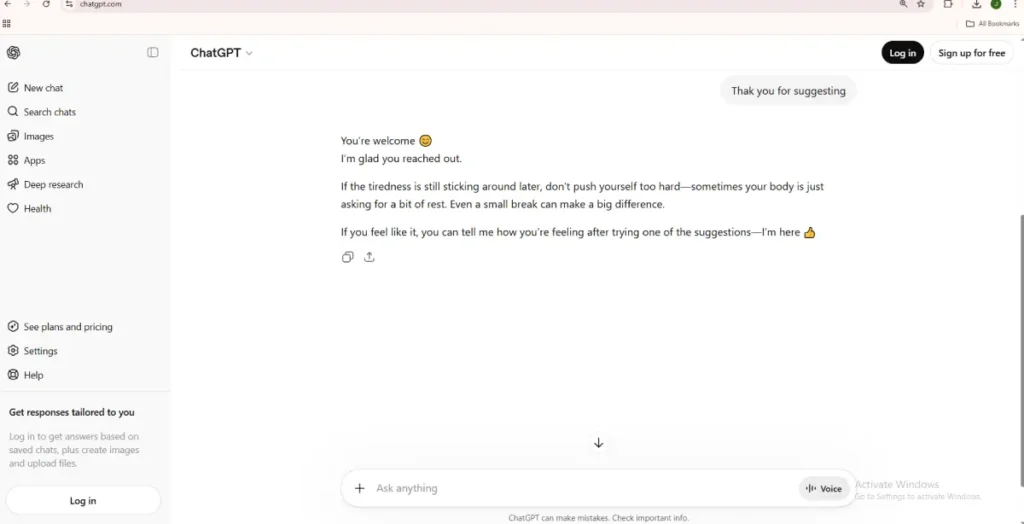
🧑💻 Personal take from the author: Personally, ChatGPT is the first place I go, almost like a reflex. I type in the browser before I even think about it. What I appreciate most is how it understands what I actually mean, even with typos or autocorrect mistakes on my phone. It does not penalize imperfect input. And the UI keeps getting better, cleaner, more comfortable, easier to use with every update. For me, it genuinely feels less like a tool and more like a thinking partner.”
Best for: Anyone who wants one AI that handles a wide variety of daily tasks.
2. Notion AI — Best for Notes, Projects, and Team Docs
Pricing: Free plan available | AI add-on from $10/seat/month
Notion was already one of the best tools for organizing your work. With the AI layer added on top, it becomes significantly smarter. You can ask it to summarize a long meeting note, generate a project plan from a single sentence, or pull answers from across your entire workspace — notes, wikis, and documents all included. The key advantage here is context. Because Notion AI lives inside your workspace, it understands everything your team has written. No other writing AI can match that. For teams that already use Notion, adding the AI plan is one of the lowest-effort upgrades available and one of the highest-value ones.
Best for: Teams and solopreneurs who manage a lot of documentation, notes, or project planning.
3. Grammarly — Best for Clear and Professional Writing
Pricing: Free plan available | Premium from $12/month
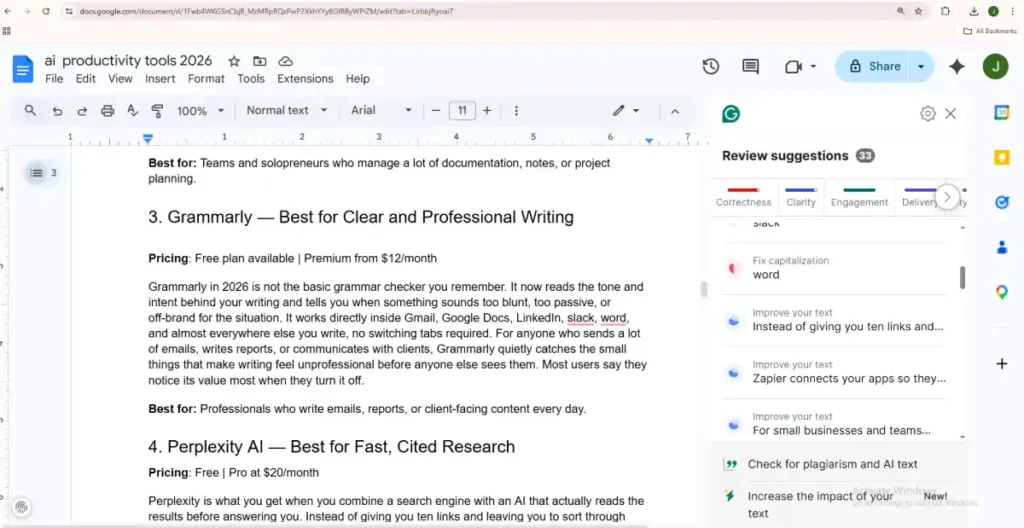
Grammarly in 2026 is not the basic grammar checker you remember. It now reads the tone and intent behind your writing and tells you when something sounds too blunt, too passive, or off-brand for the situation. It works directly inside Gmail, Google Docs, LinkedIn, Slack, Word, and almost everywhere else you write, no switching tabs required. For anyone who sends a lot of emails, writes reports, or communicates with clients, Grammarly quietly catches the small things that make writing feel unprofessional before anyone else sees them. Most users say they notice its value most when they turn it off.
Best for: Professionals who write emails, reports, or client-facing content every day.
4. Perplexity AI — Best for Fast, Cited Research
Pricing: Free | Pro at $20/month
Perplexity is what you get when you combine a search engine with an AI that actually reads the results before answering you. Instead of giving you ten links and leaving you to sort through them, it gives you a direct answer, with numbered citations attached so you can verify every claim. It pulls from live sources, which means the information is current. The Pro plan lets you choose which underlying AI model powers your search, including Claude, GPT-4, and others. For anyone who spends significant time doing research, whether for work, content creation, or study, Perplexity can cut that time by more than half. It is one of the best free AI productivity tools available right now.
🧑💻 Personal take from the author: The thing that makes Perplexity different, from personal use, is that it does not stay neutral just to avoid controversy. It takes a position based on facts. It feels less like a search engine and more like a senior colleague who has already reviewed the sources and formed an opinion. That directness makes it far more useful than tools that hedge every answer
Best for: Researchers, writers, students, and anyone who needs accurate, sourced answers quickly.
5. Zapier — Best for Automating Repetitive Tasks Between Apps
Pricing: Free plan (100 tasks/month) | Paid from $19.99/month
Zapier connects your apps so they do repetitive things automatically. When a new lead fills out your form, Zapier adds them to your CRM, sends a Slack notification, and triggers a follow-up email, all without you touching anything. In 2026, Zapier added an AI Copilot that lets you describe the automation you want in plain English and builds it for you, no coding required. For small businesses and teams using multiple tools, the time saved on manual data entry, copy-pasting between apps, and repetitive task handoffs adds up fast and visibly. It is one of the most practical AI tools for business productivity you will find.
Best for: Business owners and teams who want to eliminate manual, repetitive tasks between different apps.
6. Claude — Best for Long Documents and Complex Reasoning
Pricing: Free tier available | Pro at $20/month
Claude, built by Anthropic, has become one of the most trusted AI assistants for serious, focused work. Its main strength is handling large volumes of text; you can paste in a full research paper, a legal document, a lengthy contract, or a 50-page report, and Claude will read it carefully and answer your questions about it. It is also known for being more careful and thorough in its reasoning than other AI tools, making fewer confident mistakes. Claude is the tool people reach for when the stakes are higher and getting a sloppy answer is not acceptable. The free tier is generous, and the Pro plan unlocks priority access and extended context.
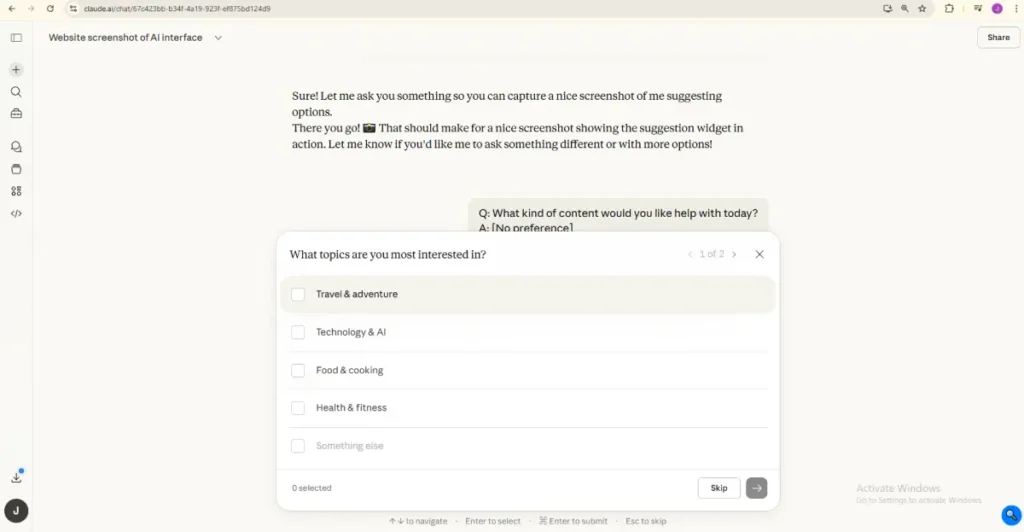
🧑💻 Personal take from the author: What stands out personally is how Claude interacts differently from other tools. It does not just generate, it asks. It wants your input before it writes, which produces something closer to what you actually need. It also shows its thinking as it goes, giving you the option to redirect before it finishes. For anyone who has been frustrated by AI that confidently goes in the wrong direction, that transparency is a relief.
Best for: Professionals who work with long documents, need careful analysis, or want a more thoughtful AI assistant.
7. Reclaim AI — Best for Scheduling and Time Management
Pricing: Free plan available | Paid from $8/month
Reclaim connects to your Google Calendar and automatically finds time for your tasks, meetings, habits, and focus blocks. You add a task with a deadline, and Reclaim schedules it into your week. When a conflict comes up, it moves things around. It protects time for deep work by blocking slots automatically. For people whose days get eaten up by poorly scheduled meetings and task switching, Reclaim brings a quiet, consistent structure that builds over time. Users who commit to it fully, using it as their primary scheduling system, often describe it as the closest thing they have found to having a personal assistant manage their calendar.
Best for: Professionals who struggle to protect time for focused work in a meeting-heavy week.
8. Fireflies AI — Best for Meeting Notes and Action Items
Pricing: Free plan available | Pro from $10/seat/month
Fireflies joins your meetings, records them, transcribes everything, and then gives you a searchable summary with action items pulled out automatically. After the call, you get key points, decisions made, and next steps, organized, without you writing a single note. You can also search across all your past meetings for specific topics or decisions. For teams running multiple meetings every day, Fireflies removes one of the most consistent time drains in the modern workplace. It also connects to tools like Slack, Notion, and CRMs, so your meeting outcomes flow directly into the places where actual work happens.
Best for: Teams and managers who run or attend multiple meetings per week and waste time on manual note-taking.
9. Jasper — Best AI Tool for Marketing Content at Scale
Pricing: From $49/month (team plans)
Jasper is purpose-built for marketing teams that produce content at high volumes. It generates ad copy, email campaigns, blog outlines, social media posts, and product descriptions using templates tuned for conversion. The brand voice feature is what makes it genuinely different from general-purpose AI tools. You train Jasper on your company’s existing content, and it applies that tone consistently across everything it writes. For agencies managing multiple clients or in-house teams producing content daily, this prevents the constant back-and-forth of “this doesn’t sound like us.” It is not cheap, but for high-volume teams, the time saved on edits and rewrites quickly justifies the cost.
Best for: Marketing teams and content agencies producing large amounts of brand-consistent content.
10. Motion — Best AI for Task and Calendar Management
Pricing: From $19/month
Motion combines your task list and your calendar into one AI-powered system. Every morning, it looks at your to-do list, your meetings, and your deadlines, and it automatically builds you a day. If something runs long or a meeting gets added, it reorganizes everything around it. Unlike most productivity apps, where you plan your day and then watch the plan fall apart by 10 AM, Motion rebuilds your schedule dynamically as things change. For people who juggle a high number of tasks across multiple projects, it removes the mental overhead of constantly re-prioritizing. The learning curve is about one week. After that, most users say they cannot imagine working without it.
Best for: Freelancers, managers, and anyone who manages many tasks across multiple projects simultaneously.
Bonus: Google AI Studio — Best Free AI Productivity Tool for Deep Research
Pricing: Free (no usage limits)
Google AI Studio is the one I think of as my teacher. It goes deeper than most tools; the information is thorough, not surface-level. There are no usage limits, which means you can ask follow-up questions without hitting a wall. But the feature most people do not talk about: you can train it to respond in a specific tone or role. Make it a teacher, a poet, a philosopher. It reads back exactly the way you shaped it. That level of customisation is rare and genuinely underused by most people who have access to it.
🧑💻 Personal take from the author: I do not know exactly why I love it as much as I do, but I do. It feels like the one tool that never runs out of patience. Every question gets a real answer. Every follow-up gets taken seriously. And the ability to shape how it thinks and responds makes it feel less like a product and more like something you built yourself.
Best for: Anyone who wants unlimited AI access with full control over tone, depth, and style, without paying a single dollar.
Tips: If you want to explore more tools from Google beyond AI Studio, we have a full breakdown of the best free Google AI tools worth using in 2026.
What’s a Quick Way to Choose the Right AI Productivity Tool?
The best way to choose the right AI productivity tool is to identify your single biggest time drain first. Ask yourself where you lose the most time in a typical week, is it writing emails, sitting in meetings, searching for information, or managing your calendar? Pick the tool that directly solves that one problem. Test the free tier for one week before upgrading. If it saves you noticeable time in that first week, it is worth keeping if it does not, move on.
Here is a simple way to match your problem to the right tool:
- You lose time writing emails and documents → Grammarly or ChatGPT
- You cannot keep track of meeting outcomes → Fireflies AI
- Research takes too long, and you lose sources → Perplexity AI
- Your calendar is a mess, and you miss deep work time → Reclaim AI or Motion
- Your apps do not talk to each other, and you copy-paste constantly → Zapier
- You have too many documents and cannot find information → Notion AI
- You work with long, complex documents → Claude
- You produce marketing content at high volume → Jasper
How Do AI Tools Boost Productivity at Work?
AI tools boost productivity at work by handling the repetitive, low-judgment parts of your job, the tasks that take real time but do not require your full expertise. Research shows that workers using generative AI save an average of 5.4% of their weekly work hours. For someone working 45 hours a week, that is roughly 2.4 hours saved every week, or about 125 hours a year.
But the bigger gains come from removing the friction that slows you down between tasks, the searching, the reformatting, the note-taking, the scheduling. When those things happen automatically, you spend more of your day on the work only you can do.
Are Free AI Productivity Tools Worth Using?
Free AI productivity tools are absolutely worth using, especially in 2026, when free tiers have become genuinely capable. ChatGPT’s free plan gives you access to GPT-4o. Perplexity’s free plan handles most everyday research. Grammarly’s free plan catches the most common writing errors. Reclaim and Fireflies both have free plans that work well for individuals.
The rule of thumb: start free, prove the value to yourself, then pay for the upgrade only if the paid features solve a specific problem you actually have. Do not pay for AI tools because they sound impressive in a features list.
What Are the Best AI Tools for Business Productivity?
The best AI tools for business productivity in 2026 are the ones that save team time, reduce errors in communication, and eliminate the manual handoffs between tools that slow operations down. For business teams specifically, Zapier (automation), Notion AI (shared knowledge), Fireflies (meeting efficiency), and Jasper (marketing content) consistently deliver the clearest, most measurable returns.
According to Gartner, enterprise applications featuring task-specific AI agents are projected to jump from less than 5% in 2025 to 40% by the end of 2026. Businesses that build the habit of using these tools now will have a significant operational advantage over those that wait.
Read This: For business owners just getting started, pairing these tools with a solid business idea makes all the difference. Here are the most promising new startup ideas for 2026.
Final Thoughts
AI productivity tools are not magic. They will not fix a broken workflow or replace the thinking that only you can do. But if you are spending hours every week on tasks that a well-chosen AI productivity tool could handle in minutes, that is time you are giving up for no good reason.
Start with one tool from this list. Pick the one that solves your most obvious problem. Use the free plan for a week. If it saves you time, keep it. If it does not, try the next one.
The best AI productivity tool is not the most advanced one. It is the one you actually use.